
Specifications
- Accessories
- Audio & Visual
- Components
- Computers
- Consumables
- Gaming
- Networking
- Other
- Power & Energy
- Printing
- Refurbished
- Replacement Parts
- Services
- Smart Devices
- Software
Verified by Trustindex
Your One-Stop Shop for Computer Products, Parts & IT Equipment
CompuMaster supplies a wide range of computer products, laptop parts, replacement components, accessories and IT equipment for home users, businesses, technicians and organisations throughout South Africa.
Whether you are replacing a failed laptop component, upgrading an existing computer, building or repairing a desktop PC, replacing a power supply, adding storage or memory, or simply looking for the right computer accessory, our online store brings together a wide range of IT products in one place.
From individual replacement parts to complete computers and everyday accessories, our range is built around the practical needs of people who use, repair, maintain and upgrade technology.
Popular Categories
Computer Memory and RAM
Memory, commonly called RAM, has a direct effect on how many applications a computer can comfortably run at the same time.
Insufficient memory can result in slow performance, excessive disk activity, application delays and poor multitasking performance.
CompuMaster supplies memory for laptops and desktop computers in different capacities and specifications.
When selecting RAM, compatibility is important. The correct module depends on factors such as:
- Laptop or desktop form factor
- DDR generation
- Memory speed
- Capacity
- Motherboard compatibility
- Maximum supported memory
- Number of available memory slots
A memory upgrade should therefore be selected according to the computer’s specifications rather than simply choosing the largest or fastest module available.
Computer Products for Everyday Use and Business
Computers remain at the centre of modern work, communication, education and business. The right equipment can make a significant difference to reliability, performance and productivity.
Our product range includes equipment and components suitable for:
- Home and office computers
- Business workstations
- Laptop and notebook computers
- Desktop PCs
- Computer upgrades
- Computer repairs
- Replacement components
- Networking and connectivity
- Storage and data solutions
- Printing and peripherals
- Power and protection
- Computer accessories
- IT maintenance and support
Whether you need a replacement component for an existing machine or equipment for a new setup, our products cover many of the components required to keep computers working reliably.
Laptop Parts and Replacement Components
Laptop repairs often require a specific replacement component rather than an entirely new computer.
A laptop may still be perfectly usable when its battery, keyboard, screen, charging system, storage drive, memory or another component fails. Replacing the faulty part can often restore the machine at a fraction of the cost of replacing the entire laptop.
CompuMaster supplies a range of laptop replacement parts and components, including parts used for repairs, maintenance and upgrades.
Depending on the laptop model and availability, replacement components can include:
- Laptop screens and display components
- Laptop batteries
- Laptop keyboards
- Laptop chargers and power adapters
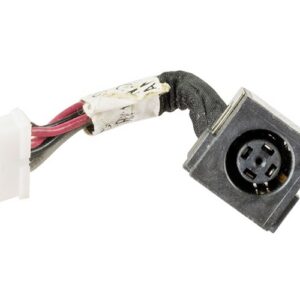
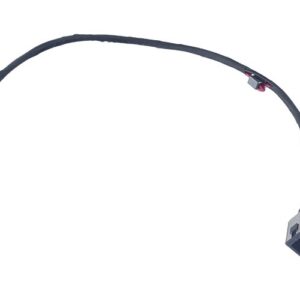
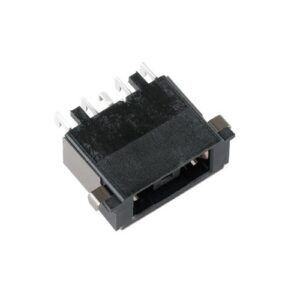
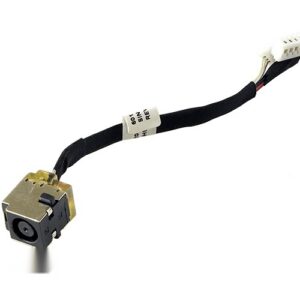
- DC power connectors and charging components
- Laptop memory
- SSD storage
- Hard drives
- Cooling fans
- Cooling and thermal components
- Internal cables
- Hinges and mechanical components
- Laptop accessories
- Replacement housings and related components
Laptop parts are often model-specific. The correct component may depend on the laptop manufacturer, model number, revision, connector type, physical dimensions and technical specification.
If you are unsure which part your laptop requires, contact us before ordering. We can help identify the correct component or determine whether a repair or replacement is the better option.
Computer Components and PC Parts
Desktop computers are highly serviceable and upgradeable machines. Individual components can usually be replaced or upgraded without replacing the complete computer.
Our computer components range includes products used for building, upgrading, repairing and maintaining desktop PCs.
Common components include:
- Desktop memory
- Solid-state drives
- Hard disk drives
- Motherboards
- Processors
- Graphics cards
- Power supplies
- Computer cases
- Cooling fans
- CPU cooling solutions
- Cables and connectors
- Expansion components
- Optical drives
- Storage accessories
- Internal and external peripherals
Upgrading individual components can extend the useful life of a computer and improve performance without the expense of purchasing a completely new system.
For example, replacing an older hard drive with an SSD can dramatically improve system responsiveness, while adding memory can improve multitasking on a computer that is running short of RAM.
SSDs, Hard Drives and Storage
Storage is another important computer component.
Modern SSDs provide fast access to data and can significantly improve startup times, application loading and general system responsiveness compared with older mechanical hard drives.
Our storage products can be used for:
- Laptop upgrades
- Desktop upgrades
- Replacement storage
- New computer builds
- Additional storage capacity
- System replacement
- Data storage
- Business computers
- External storage applications
Storage requirements vary considerably. A basic office computer may need a relatively modest drive, while a business workstation, gaming computer or media system may require substantially more capacity.
When replacing an existing drive, compatibility is also important. The computer may require a particular physical format or interface, and the replacement drive must be suitable for the system.
Replacement Laptop Screens
A damaged laptop screen does not necessarily mean the laptop needs to be replaced.
Cracked displays, damaged panels, lines across the screen, flickering, dark areas and display failures can often be resolved by replacing the screen or another related component.
Laptop displays vary by:
- Screen size
- Resolution
- Connector type
- Connector position
- Panel technology
- Refresh rate
- Mounting arrangement
- Physical dimensions
The correct replacement screen must therefore match the laptop and its original display requirements.
If you are uncertain about the correct screen, our repair service can help identify the required part.
Laptop Batteries and Power
Battery deterioration is one of the most common problems experienced by older laptops.
A battery that no longer holds a useful charge can make a perfectly functional laptop difficult to use away from a power outlet.
Replacement batteries can restore portable use, but compatibility is critical. Laptop batteries are designed for particular models and may differ in voltage, capacity, physical design and connector arrangement.
Power adapters and chargers are similarly specification-sensitive. The correct voltage, current, connector and electrical characteristics must be considered before replacing a laptop charger.
If a laptop is not charging, however, the battery is not always the cause. The problem may involve the charger, charging connector, motherboard or another part of the power circuit.
Keyboards | Hinges | Mechanical
Physical damage is common with laptops because they are portable computers.
Broken keys, damaged keyboards, loose hinges and damaged casings can affect usability even when the motherboard and other electronics remain completely functional.
Replacement mechanical components can sometimes restore a laptop without requiring replacement of the entire machine.
This is particularly useful for business users who need to keep an existing computer operational and avoid unnecessary downtime.
Computer Power Supplies
A reliable power supply is essential to any desktop computer.
Power supplies convert mains electricity into the voltages required by the computer’s internal components. A failing or incorrectly specified power supply can cause instability, shutdowns, failure to start and potentially damage other components.
Replacement power supplies are available in different:
- Power ratings
- Physical sizes
- Connector configurations
- Efficiency levels
- Form factors
- Cable configurations
A power supply should be selected according to the requirements of the complete system rather than simply choosing the highest wattage available.
Computer Accessories and Peripherals
A computer system is more than the computer itself.
CompuMaster also supplies a range of computer accessories and peripherals used for everyday computing, business, home offices, education and general IT requirements.
Depending on availability, these can include:
- Keyboards
- Mice
- Webcams
- Speakers
- Headsets
- USB accessories
- Computer cables
- Adapters
- Hubs
- External storage
- Laptop accessories
- Power accessories
- Connectivity products
- Display accessories
- Networking accessories
- Printer-related products
Small accessories can often solve practical problems without requiring expensive equipment changes.
Networking and Connectivity
Reliable connectivity is increasingly important for both home and business environments.
Networking equipment and accessories can be used to connect computers, printers, access points, switches, routers and other devices.
Products may include networking cables, adapters, connectors and other connectivity equipment.
The correct networking product depends on the intended application, connection type, speed requirements and existing network infrastructure.
For businesses, choosing appropriate connectivity equipment can help maintain reliable access to shared resources, internet services and internal systems.
Printers | Peripherals |Office Equipment
Computers frequently form part of a larger office technology environment.
Printers, scanners, input devices, display equipment, cables and other peripherals all contribute to a functioning workstation.
Businesses in particular often need replacement equipment quickly when an essential peripheral fails.
CompuMaster’s product range therefore extends beyond computer components to include products that support everyday computing and office requirements.
Cables | Adapters | Connectors
One of the simplest causes of computer problems can be an incorrect, damaged or missing cable or adapter.
Different computers and peripherals can use different connection standards, connector types and cable specifications.
Common requirements include cables and adapters for:
- Displays
- USB devices
- Networking
- Storage
- Power
- Audio
- Printers
- Internal computer components
- Laptop accessories
- Peripheral connections
The correct cable is determined by the ports and requirements of the devices being connected.
New Arrivals | Specials
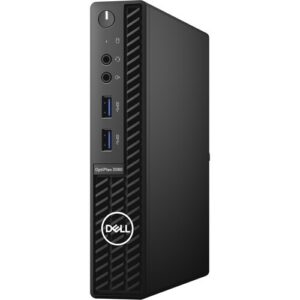
Dell OptiPlex 3080 10th gen Intel® Core™ i5 -10500 16GB RAM 256GB SSD Win 11 Pro – Refurbished
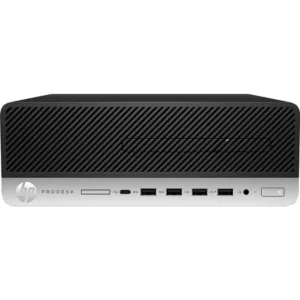
HP ProDesk 600 G5 SFF Desktop PC – Core i5-9500 – 9th Gen -16GB – Win 11 Pro – Refurbished
Free Damage Reports