Menu Categories
We have imported template successfully. To setup it in the correct way please, save this page, refresh and select it in dropdown.

Windows 11 – Versions and Comparison

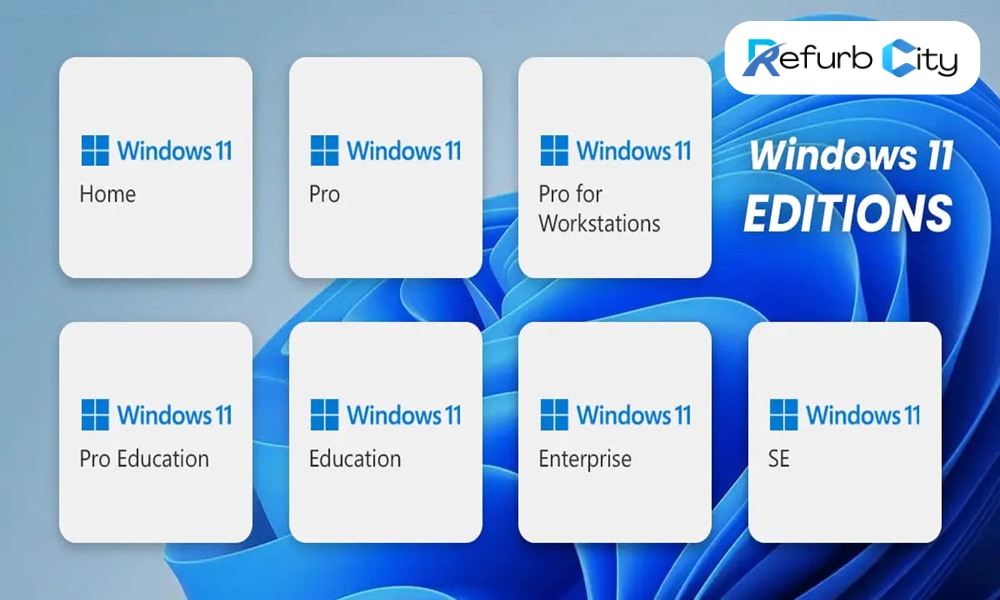
In October 2023 Microsoft released the new Windows 11. As already known from previous licenses, different versions of this operating system are available. It is past time for us to clarify which versions of Windows 11 are available and what it can in comparison to Windows 10.

Windows 11 versions

With Windows 11 Microsoft released six different versions of the operating system for different applications.

Windows 11 Home
Windows 11 Pro, Pro for Education & Pro for Workstation
Windows 11 Education
Windows 11 Enterprise (full version)
Windows 11 IoT Enterprise LTSC

Windows 11 Home vs. Windows 11 Pro

The home version of the new Windows operating system is the basic feature of the different editions, it includes all standard features such as Microsoft Edge, the new store, desktop management, input methods, widgets and more. 

The Windows 11 Pro versions include, as well as the Home version, all standard features with a few additional aspects designed specifically for businesses. It includes, for example BitLocker, with which data can be saved if your device is stolen or a data leak appears. 


Windows 11 IoT Enterprise

Just like the classic Windows 11 Enterprise, this IoT version includes all the features, but also specifically designed for embedded devices. It offers many innovations that focus on improving the flexible and fluid experience of the end user. Windows 11 IoT Enterprise is supposed to be the most reliable, secure, connected and powerful Windows operating system. 

This operating system is based on Windows 10 IoT Enterprise, continuing the investments made in update and device management tools. Most accessories and related drivers that work with Windows 10 IoT Enterprise also work with the new Windows 11 IoT Enterprise. 


Windows 11 IoT Enterprise LTSC

Windows 11 IoT Enterprise LTSC provides a stable and long-term supported platform with a support cycle of up to 10 years, making it ideal for critical and immutable applications. It focuses on security updates and critical fixes, without the frequent feature updates found in other versions of Windows. This stability and predictability are especially important for industrial control systems, medical devices and other embedded systems that need to operate reliably over a long period of time. The LTSC version minimises downtime and disruption from updates, making it an optimal choice for environments that require continuous uptime. It also offers the familiar Windows security and management features that enable easy integration and management in existing IT infrastructures. 

Windows 11 vs. Windows 10: comparison

Aside from a few new features, Windows 11 is very similar to Windows 10, only slightly nicer, for example by the visual adjustments of the icons or the start menu. However, new features of Windows 11 are more than sufficient: 

From a new start menu and taskbar design to a new widget area, to snap groups that allow the screen to be designed and set up more flexible than ever before. The new Windows 11 has new features for every area of interest. Even though the new start menu is somehow reminding of the macOS operating system, it is clearer and shows the recently most used files. Further adjustments were made to the Microsoft Store, the Microsoft Teams app (which is now installed from scratch) and the layout on tablets.  


System requirements for Windows 11

With Windows 11, Microsoft places high demands on devices, the operating system can only be installed on processors manufactured in 2016/2017 (for Intel PCs from the 8th Pentium and atom chips). 

Other minimum requirements are: 

  • 4 GB RAM 
  • 64 or more GB of memory 
  • System firmware UEFI 
  • Trusted Platform Module (TPM) version 2.0 
  • Graphics card compatible with DirectX 12 or higher 
  • High resolution screen (720p), diagonal >9 inches and 8bits per color channel 


In addition, Windows 11 requires a Microsoft account, which was not necessary for previous versions. 

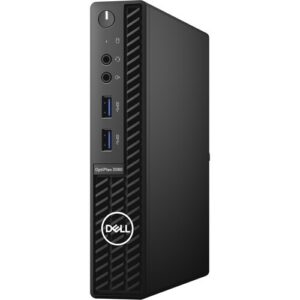
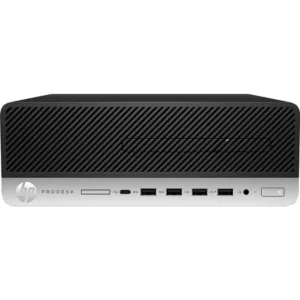
And of course several of our Mini-PCs are compatible with Windows 11 If you have any questions, please do not hesitate to contact us.

SHARE YOUR THOUGHTS

Add comment

Your email address will not be published. Required fields are marked


CompuMaster

ACADAMY

Upskill in your own time

Classes Courses Online Onsite Groups Individuals

  • SKILLS
  • AI
  • MARKETING

CompuMaster online and in person classes provide business owners with the practical computer skills needed to navigate the digital world and enhance their business operations. It will cover a range of topics, from basic computer fundamentals to more advanced applications relevant to business management.

Gain the ability to adapt to new technologies and trends in the digital marketplace, which is crucial for staying competitive. 

By the end of this course, you will have the foundational computer skills and practical knowledge to confidently navigate the digital world and leverage technology to enhance your small business.

No products were found matching your selection.
CLICK BELL TO GET NOTIFIED
A graphic showing different social media logos with arrows pointing between them, symbolizing the complex nature of crossposting.
Other

The Truth About Crossposting

Is crossposting content hurting your social media growth? Learn how major platforms like Meta (Facebook/Instagram) and YouTube penalize unoriginal content and how to effectively repurpose your videos instead.