BusinessEducationRefurbished
The Benefits of Refurbished Computers for Schools
The Benefits of Refurbished Computers for Schools - The Sustainable Choice.


Few things cause panic quite like spilling a drink on your laptop. Whether it was water, coffee, tea, cooldrink, wine, or juice, it’s natural to worry that your computer is beyond saving.
The good news is that many liquid-damaged laptops can be repaired if the correct steps are taken quickly. The bad news is that waiting too long or trying common “home remedies” can often make the damage much worse.
At CompuMaster, we understand how stressful this situation can be. Your laptop often contains important work, family photos, university assignments, or years of personal memories. Our goal is to give you honest advice, explain your options clearly, and help you decide whether repairing the laptop is worthwhile.
The first few minutes after a spill can make a huge difference.
If liquid has entered your laptop:
The sooner the laptop is professionally inspected and cleaned, the better the chances of preventing permanent damage.
Many people assume that once the laptop has dried out, everything is fine. Unfortunately, that’s rarely how liquid damage works.
Even plain water contains minerals that are left behind after the moisture evaporates. Coffee, tea, juice, wine and sugary drinks are even more destructive because they leave sticky residues that continue attacking electronic components.
Corrosion often starts immediately and can continue for days or even weeks after the spill. A laptop might appear to work perfectly today, only to fail unexpectedly later because corrosion has slowly damaged tiny circuits on the motherboard.
This is why we always recommend having a liquid-damaged laptop professionally inspected, even if it still appears to be working normally.
Not every laptop fails immediately after a spill. Common symptoms include:
• Sticky or unresponsive keyboard keys.
• Random shutdowns or freezing.
• Failure to power on.
• Battery charging problems.
• Flickering or distorted display.
• Touchpad not working correctly.
• USB ports or audio ports failing.
• Overheating or unusually loud cooling fans.
• Visible corrosion around ports or connectors.
Some symptoms appear immediately, while others may only develop days or even months later.
Every liquid spill is different.
Sometimes only the keyboard is affected. In other cases, the liquid reaches the motherboard, charging circuitry, display, storage drive or other sensitive components.
That’s why we begin with a free initial diagnosis.
After carefully dismantling your laptop, we inspect the motherboard, ribbon cables, connectors, keyboard and other internal components for contamination, corrosion and signs of electrical damage.
Once we’ve completed our inspection, we’ll explain:
• What has been damaged
• Which repairs are possible.
• The estimated repair cost.
• Whether repairing the laptop is financially worthwhile.
We believe in honest advice, not selling repairs that don’t make sense.
Depending on the damage, repairs may include:
• Professional internal cleaning.
• Removing corrosion from affected components.
• Ultrasonic cleaning where appropriate.
• Replacing damaged keyboards, touchpads, batteries, charging ports, screens or other components.
• Testing the motherboard and internal circuitry.
• Comprehensive testing before returning your laptop.
We use genuine or high-quality OEM replacement parts whenever possible and only recommend repairs we’d confidently perform on our own computers.
Sometimes the answer is yes.
Sometimes the most honest advice we can give is not to spend your money.
We may recommend replacing the laptop if:
• The motherboard has suffered extensive damage.
• Multiple expensive components have failed.
• Replacement parts are no longer available.
• The repair cost approaches or exceeds the value of the laptop.
Liquid damage can also be unpredictable. Even after a successful repair, hidden corrosion may continue developing in areas that showed no visible damage during the initial inspection. A different component may fail weeks or months later because of the original spill.
We’ll always explain the risks honestly before you decide whether to proceed.
If we believe buying another laptop makes better financial sense, we’ll tell you upfront.
One of the biggest concerns after a spill is losing important files.
Fortunately, the SSD or hard drive often survives even when other components have failed.
In many cases we can recover your documents, photos, emails and other important files, even if repairing the laptop isn’t economically viable.
We’ll discuss the chances of successful data recovery during the diagnosis.
Simple repairs, such as replacing a damaged keyboard, may be possible onsite in Centurion, Pretoria and Midrand.
Most liquid damage repairs require complete disassembly, specialised cleaning equipment and extensive testing, making workshop repairs the safest option.
If you’re elsewhere in South Africa, you can securely courier your laptop to us for professional assessment and repair.
Unfortunately not.
Drying removes the moisture but not the minerals, sugar, acids or other contaminants left behind. These continue causing corrosion long after the laptop feels dry.
Professional cleaning gives your laptop the best chance of long-term survival.
No.
This is one of the biggest myths on the internet. Rice cannot remove corrosion or residue and won’t prevent long-term damage.
Usually not.
Many liquid-damaged laptops still have healthy storage drives, allowing us to recover your files even if repairing the laptop isn’t economical.
Yes.
We provide a 30-day warranty on the specific repair work performed and any replacement parts we install.
Liquid damage is very different from most other repairs because the original spill can cause hidden or delayed damage that simply isn’t visible during the initial inspection. Corrosion may continue developing inside the laptop, and components that appeared perfectly healthy during testing may fail weeks or even months later due to the original liquid exposure.
For this reason, our warranty covers the repair we performed and the replacement parts we supplied. It does not cover new faults or component failures caused by the original liquid damage that develop after the repair has been completed.
We’ll always explain the condition of your laptop, the risks involved, and whether we believe the repair offers good long-term value before any work begins. If we don’t think it’s worth repairing, we’ll tell you honestly.
Yes.
Water-resistant doesn’t mean waterproof. Liquid can still enter through cooling vents, charging ports, speakers or worn seals. If liquid has entered the laptop, it’s always safest to have it professionally inspected.
At CompuMaster, we built our business on a simple principle: to treat every customer with the same honesty, patience and care we’d want for our own family.
You’ll receive straightforward advice, clear pricing and recommendations that genuinely make financial sense. If we can save your laptop, we’ll do everything we reasonably can. If replacing it is the smarter option, we’ll tell you that too.
No pressure. No confusing jargon. Just honest service from someone who wants to help.
If your laptop has suffered liquid damage, don’t wait.
The sooner it’s professionally cleaned and inspected, the better the chances of preventing permanent corrosion, saving your hardware and recovering your important data.
Contact CompuMaster today for friendly, honest advice and a free initial diagnosis. We’ll help you understand your options and recommend the solution that makes the most sense for you.
Contact us first so we can discuss the problem and recommend the quickest solution.
Yes. Many software problems, Windows issues, email problems and configuration issues can be solved using secure remote support.
Yes. We work on most major laptop and desktop brands, depending on parts availability and the nature of the fault.
Yes, with a 12 month warranty.
We regularly stock professionally refurbished laptops suitable for home users, students and businesses.
While 85% of software, networking, and standard component issues can be resolved right then and there, complex component-level motherboard repairs or extensive clean-room data recovery may require specialized lab equipment. If that is the case, our technician will safely transport your device to our main workstation, perform the intensive repair, and deliver it right back to your desk.
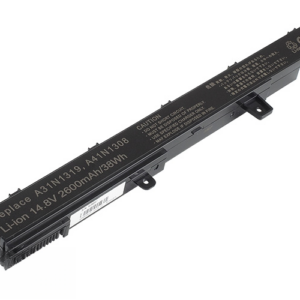
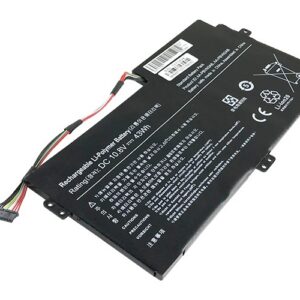
Yes! We stock a wide array of high-quality replacement laptop chargers and batteries. If your laptop won’t hold a charge, contact us with your laptop model number, and we can deliver and test the new hardware directly at your location.
If you need computer repairs in Centurion, contact CompuMaster for friendly advice, professional service, and practical IT solutions for both home users and businesses.