
Other
Refurb Quality Assurance
The Truth About Refurbished Computers & Laptops If you’ve ever bought a refurbished computer online, you might have wondered what actually happens between the time...
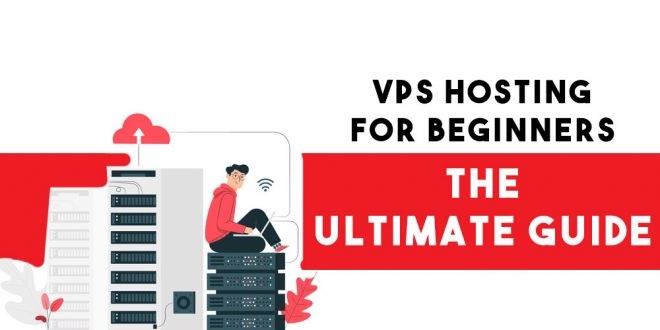
A Virtual Private Server (VPS) is a virtualized hosting environment that offers a more robust and customizable hosting solution than shared hosting, but at a higher cost. It essentially simulates a dedicated server within a physical server, allowing you to run your own operating system and applications with dedicated resources like CPU, RAM, and storage.
Imagine a large apartment building where many people share the same resources (like the lobby, elevator, etc.). Shared hosting is like renting a room in that building, where you share resources with other tenants. A VPS is like having your own private apartment within that building, with your own dedicated resources and the ability to customize your space as you like.
You have root access to your VPS, meaning you can install and configure software and applications as you need, unlike in shared hosting where your options are limited.
You get a guaranteed share of resources like CPU, RAM, and storage, ensuring your website or application performs well even if other VPS instances on the same physical server are busy.
With dedicated resources, your website or application will load faster and run more reliably than it would on a shared hosting plan, especially if you have high traffic or resource-intensive applications.
Your VPS is isolated from other users, meaning their activity won’t affect yours, and your data is more secure.
If your website receives a lot of traffic, a VPS can handle the load better than shared hosting.
If you need to run complex applications that require significant processing power and memory, a VPS is a good choice.
You can create isolated environments for testing your code or applications before deploying them to production.
Upskill in your own time
CompuMaster online and in person classes provide business owners with the practical computer skills needed to navigate the digital world and enhance their business operations. It will cover a range of topics, from basic computer fundamentals to more advanced applications relevant to business management.
Gain the ability to adapt to new technologies and trends in the digital marketplace, which is crucial for staying competitive.
By the end of this course, you will have the foundational computer skills and practical knowledge to confidently navigate the digital world and leverage technology to enhance your small business.