Menu Categories
We have imported template successfully. To setup it in the correct way please, save this page, refresh and select it in dropdown.

Your Digital Gatekeeper: Authenticator Apps – Locked Out

CompuMaster Security Series: Authenticator App
Tips – Travel, Lost, Stolen Phone

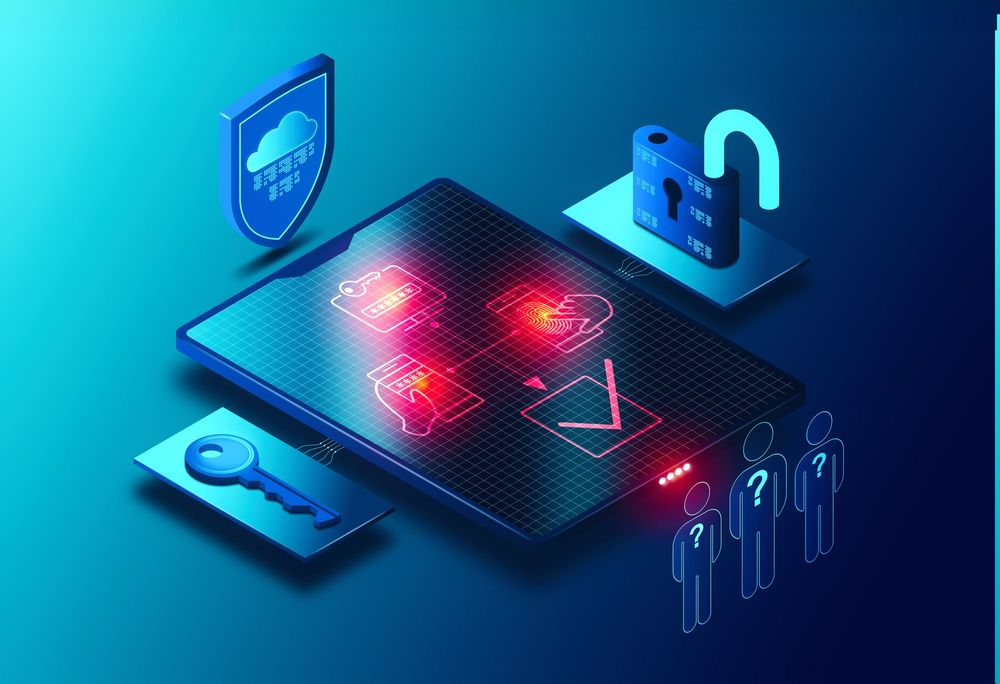
In our last post, we explored the power of authenticator apps as your essential digital gatekeeper, adding a crucial layer of security with their time-sensitive codes. But what happens if that gatekeeper – your phone – goes missing? Or if you’re halfway across the world without a local SIM card, unable to receive SMS codes? The fear of getting locked out of your own digital “house” is a valid one, but thankfully, there are well-established solutions.

Let’s dive into how to safeguard your access, even when your primary authenticator device isn’t available.

Lost, Stolen, or No Signal: Your Recovery Options

The good news is that reputable online services and authenticator app providers have designed recovery mechanisms for these exact scenarios. The key is to prepare in advance.

  1. Backup Codes (Your Emergency Keys): Almost every service that offers 2FA via an authenticator app also provides a set of “backup codes” or “recovery codes” when you first set up the authentication. These are typically a list of single-use codes that you can use to log in if you don’t have access to your authenticator app.
    • Crucial Tip: Print these codes and store them in a secure, physical location. Think a locked drawer, a safe, or even a fireproof box. Do not store them on your phone, in your email, or in any easily accessible digital format, as that defeats their purpose. If you lose your phone, you don’t want your recovery codes on it!
  2. Multiple Verification Methods: Many services allow you to set up more than one 2FA method. While an authenticator app might be your primary, consider having a secondary method enabled, such as:
    • A secondary phone number for SMS codes (if applicable and reliable): This is useful if you have a backup phone or a trusted family member’s number you can temporarily use. Be cautious with this if traveling internationally, as SMS delivery can be unreliable or incur significant roaming charges.
    • A physical security key (FIDO U2F/WebAuthn): Devices like YubiKey or Google Titan provide a highly secure, hardware-based second factor. You simply plug it into a USB port (or tap it to your NFC-enabled phone) to authenticate. These are excellent for high-value accounts.
  3. Cloud Sync for Authenticator Apps: Some authenticator apps, like Microsoft Authenticator and Authy, offer cloud backup and sync features. If enabled, your authenticator entries can be securely backed up to your cloud account (e.g., iCloud for iOS, Google Drive for Android, or a Microsoft account). If you get a new phone, you can restore your authenticator entries from this backup.
    • Consideration: While convenient, ensure you understand how these cloud backups are secured and what happens if your cloud account itself is compromised.
  4. Account Recovery Procedures: In the direst scenarios, where all other options fail, online services have account recovery processes. This usually involves proving your identity through a series of questions, providing historical information, or uploading identification documents. This can be a lengthy process, so it’s a last resort.

Traveling Abroad and SIM Card Woes:

This is where authenticator apps truly shine over SMS-based 2FA. As explained in our previous post, authenticator apps generate codes offline. Your phone doesn’t need a cellular connection or Wi-Fi to generate the code itself.

  • Before you travel:
    • Ensure your authenticator app is functioning and all accounts are linked. Try logging into a few accounts using the app before you leave.
    • Double-check your backup codes are accessible (physically stored safely).
    • If you anticipate needing to set up new services or transfer apps while abroad, consider bringing a second trusted device (e.g., a tablet or an old phone) that also has your authenticator app configured, if your app supports multi-device sync.
  • During your trip:
    • You can generate codes from your authenticator app even if you have no SIM card or are in airplane mode. You just need an internet connection (Wi-Fi) on the device you’re trying to log into to submit the code.
    • If you must rely on SMS for any specific service, consider purchasing a local SIM card with data or an international eSIM plan to ensure you can receive messages.

The bottom line: proactive preparation is your best defense against getting locked out. Take the time now to familiarise yourself with the recovery options for your critical accounts. At CompuMaster, we can guide you through setting up these safeguards, ensuring your digital life remains accessible and secure, no matter what curveballs life throws your way.


Next in our series: The Master Key to Your Digital Kingdom – Unpacking Password Managers!

We’ll be exploring the world of password managers, including popular options like Google Password Manager, LastPass, and self-hosted solutions like Vaultwarden. We’ll delve into the pros and cons of free vs. paid services, the benefits and drawbacks of self-hosting, and crucially, why even with a powerful password manager, Two-Factor Authentication (2FA) remains an indispensable layer of security. Stay tuned!

SHARE YOUR THOUGHTS

Add comment

Your email address will not be published. Required fields are marked


CompuMaster

ACADAMY

Upskill in your own time

Classes Courses Online Onsite Groups Individuals

  • SKILLS
  • AI
  • MARKETING

CompuMaster online and in person classes provide business owners with the practical computer skills needed to navigate the digital world and enhance their business operations. It will cover a range of topics, from basic computer fundamentals to more advanced applications relevant to business management.

Gain the ability to adapt to new technologies and trends in the digital marketplace, which is crucial for staying competitive. 

By the end of this course, you will have the foundational computer skills and practical knowledge to confidently navigate the digital world and leverage technology to enhance your small business.

No products were found matching your selection.
CLICK BELL TO GET NOTIFIED
A graphic showing different social media logos with arrows pointing between them, symbolizing the complex nature of crossposting.
Other

The Truth About Crossposting

Is crossposting content hurting your social media growth? Learn how major platforms like Meta (Facebook/Instagram) and YouTube penalize unoriginal content and how to effectively repurpose your videos instead.