What Should I Do Immediately?
The first few minutes after a spill can make a huge difference.
- Switch it off immediately. Don’t wait for Windows to shut down normally. Press and hold the power button until the laptop powers off.
- Disconnect the charger and unplug all USB devices or accessories.
- Remove the battery if your model has one that is easily removable. If the battery is internal, leave it alone rather than risk causing more damage.
- Turn the laptop upside down in an inverted “V” position so excess liquid can drain away from the keyboard.
- Do not try turning it back on to “see if it’s still working.”
- Do not use a hairdryer, heater, or place it in rice. Heat can damage delicate components, while rice does nothing to remove the minerals and contaminants left behind.
The sooner the laptop is professionally inspected and cleaned, the better the chances of preventing permanent damage.
Why Liquid Damage Is So Dangerous
Many people assume that once the laptop has dried out, everything is fine. Unfortunately, that’s rarely how liquid damage works.
Even plain water contains minerals that are left behind after the moisture evaporates. Coffee, tea, juice, wine and sugary drinks are even more destructive because they leave sticky residues that continue attacking electronic components.
Corrosion often starts immediately and can continue for days or even weeks after the spill. A laptop might appear to work perfectly today, only to fail unexpectedly later because corrosion has slowly damaged tiny circuits on the motherboard.
This is why we always recommend having a liquid-damaged laptop professionally inspected, even if it still appears to be working normally.
Common Symptoms
When liquid enters a laptop, the symptoms can vary significantly depending on what was spilled and where it landed. You might notice the device failing to turn on, unexpected shutdowns, or specific keys on the keyboard becoming sticky or unresponsive. In some cases, the screen may display flickering patterns, or the system might begin running extremely slowly. Sometimes, a laptop may appear to work fine initially, only to develop faults days or weeks later as corrosion sets in on the internal circuitry.
Common Causes
The most frequent cause of liquid damage is accidental spills involving drinks placed too close to the keyboard. Even small amounts of liquid can travel through the gaps in the keys, reaching the motherboard and other delicate electronics beneath. Humidity and condensation can also sometimes cause issues, though direct spills are the most common reason we see these devices in our workshop.
Diagnosis
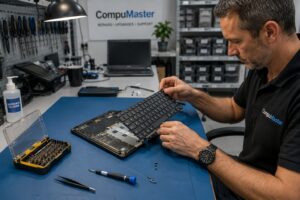
Assessing liquid damage is rarely a quick process. Because electricity and liquid do not mix, we must first perform a thorough physical inspection. We open the laptop to examine the motherboard and other components for signs of residue, mineral deposits, or burnt circuits. We offer a free initial diagnosis to determine the extent of the damage. Please note that this is a hardware-level procedure that must be performed in our workshop where we have the necessary tools to safely disassemble your device and inspect the components properly.
Repair Process
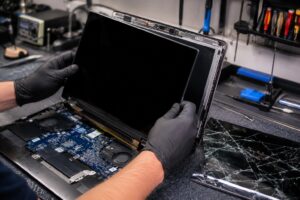
Our primary goal during the repair process is to clean the affected areas and restore electrical integrity. We use professional-grade cleaning solutions to remove residue and prevent further corrosion. If specific components like the keyboard or the motherboard have failed, we will discuss the options for replacing those parts with genuine or high-quality OEM components. Since liquid damage can be unpredictable, we test the machine extensively after the cleaning process to ensure it is stable and reliable for regular use.
Repair or Replace?
Deciding whether to repair or replace a laptop depends on the severity of the damage and the value of the device. If the liquid has caused widespread damage to the motherboard, the cost of repair might approach the cost of a new or high-quality refurbished computer. We provide honest, jargon-free recommendations based on the specific condition of your device. If a repair is not technically feasible or cost-effective, we will be upfront about it, as we only recommend repairs we would choose for our own computers.
Service Options
Liquid damage repair is a specialized, workshop-based service. While we offer onsite repairs for many common issues, spills require the controlled environment of our workshop to ensure proper cleaning and testing. You are welcome to drop your device off at our location, or if you are outside of the immediate area, we can arrange for secure courier computer repairs to bring your laptop to us. Unfortunately, this type of damage cannot be fixed via remote support, as it requires physical intervention. Please reach out to us to discuss your options for getting your device safely to our technicians.
Conclusion
If your laptop has suffered from liquid damage, acting quickly provides the best chance of a successful recovery. Our team is here to provide the expert care your device needs to get back up and running. If you have any questions about our laptop repairs or wish to book an assessment, please contact our team today to get started.