Popular Categories

Laptop Overheating

If your laptop is becoming unusually hot, making excessive fan noise or shutting down unexpectedly, it is important to have it checked before permanent damage occurs. Overheating is one of the most common laptop problems we repair at CompuMaster, and in many cases it can be resolved with professional cleaning, cooling system maintenance or replacing worn components.

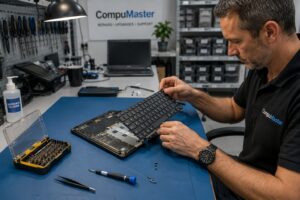
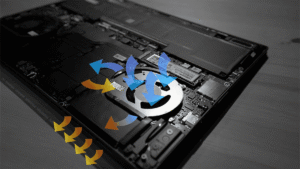
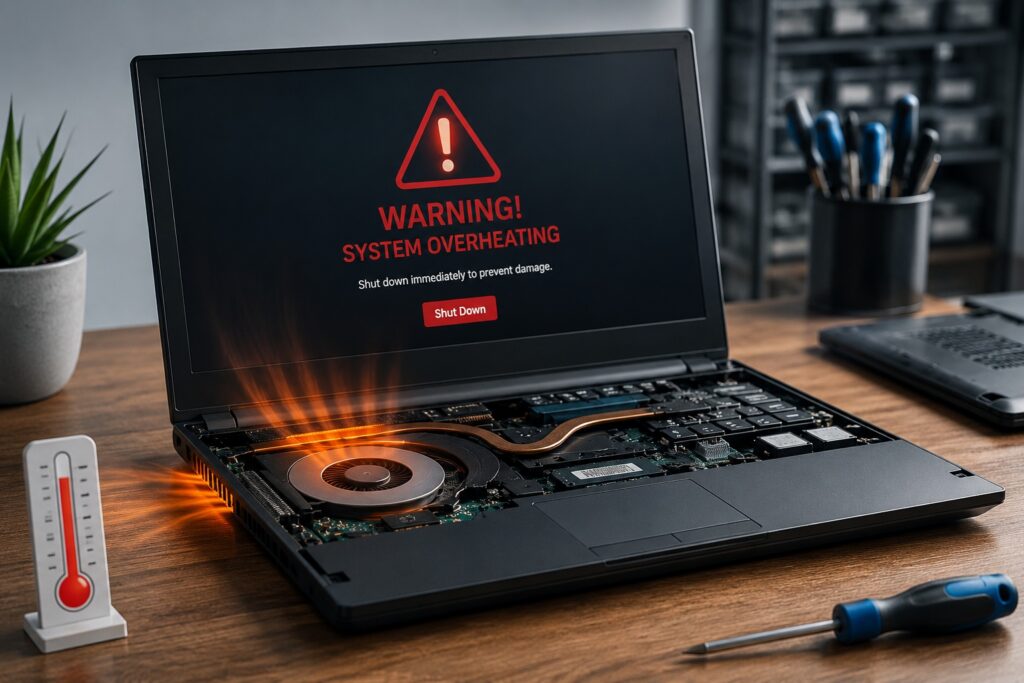
Technician servicing an overheating laptop by inspecting the internal cooling fan and heat sink during a professional laptop overheating repair and internal cleaning.

New & Refurbished

Nationwide Repair Services

Computer and electronics mail-in courier repair service across South Africa

Need Help?

If you need computer repairs in Centurion, contact CompuMaster for friendly advice, professional service, and practical IT solutions for both home users and businesses.

060 900 88 78

Common Symptoms of Laptop Overheating

A laptop that is overheating often displays several warning signs before serious damage occurs.

  • Loud cooling fan running constantly.
  • Unexpected shutdowns or restarts.
  • Slow performance due to processor thermal throttling.
  • Excessive heat around the keyboard or underside of the laptop.

What Causes a Laptop to Overheat?

The most common cause is dust blocking the cooling system. Over time, dust builds up inside the heat sink and prevents hot air from escaping efficiently.

  • Dust-clogged heat sink and cooling fan.
  • Dried or degraded thermal paste.
  • Blocked ventilation openings.
  • Failed or worn cooling fan.

Professional Diagnosis and Repair

Our technicians disassemble the laptop, clean the cooling system, inspect the fan, replace thermal paste where necessary and test operating temperatures after reassembly. If the cooling fan has failed, we install a quality replacement part. Your personal data remains untouched during the repair process.

Should You Repair or Replace?

If your laptop is still in good condition, a cooling system service is usually a cost-effective way to extend its lifespan. If overheating has already caused significant motherboard damage on an older machine, we will provide honest advice on whether repairing or replacing the laptop offers the best value.

Repair Options

  • Workshop repairs for internal cleaning and cooling system servicing.
  • Courier repairs available for customers outside our onsite service areas.
  • Remote support can identify software-related high CPU usage but cannot repair physical cooling problems.

FAQ

Dust build-up inside the cooling system is the most common cause of laptop overheating. Other causes include dried thermal paste, blocked air vents and failed cooling fans.

Yes. Continued overheating can damage the motherboard, processor, graphics chip and storage devices. Addressing the problem early can prevent costly hardware failures.

In many cases, yes. A professional internal cleaning and fresh thermal paste are often enough to restore proper cooling. Replacement parts are only required if components such as the cooling fan have failed.

No. Physical overheating problems require the laptop to be opened and serviced. Remote support can only determine whether software is causing excessive processor usage.

Yes. Cleaning the cooling system does not require access to your personal files, and your data remains untouched during normal overheating repairs.

Keep the air vents clear, avoid using the laptop on soft surfaces, regularly remove dust from the cooling system and have the laptop professionally serviced every few years to maintain efficient cooling.

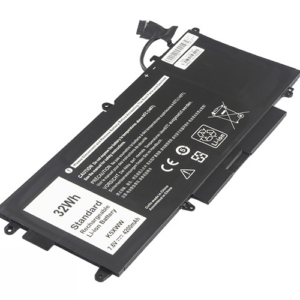
We Stock Quality Replacement Parts

See what our clients say

Live Google & Facebook Reviews Verified By TrustIndex

Posted on Google Google
Kamogelo Petronella profile picture
Kamogelo Petronella
Google star 1Google star 2Google star 3Google star 4Google star 5Trustindex verifies that the original source of the review is Google.
They assess everything so they can give you the best service.
Posted on Google Google
Thoko “Teekay” Mjoli profile picture
Thoko “Teekay” Mjoli
Google star 1Google star 2Google star 3Google star 4Google star 5Trustindex verifies that the original source of the review is Google.
Service is top tier and very professional. Very friendly and does a very good job. Will recommend any day
Posted on Google Google
Retha Myburgh profile picture
Retha Myburgh
Google star 1Google star 2Google star 3Google star 4Google star 5Trustindex verifies that the original source of the review is Google.
I was struggling with a delay on my Wi-fi system and it affected my work. I work from home in Eldoraign Centurion. Anton came out on a Saturday to make sure that I am ready for work on Monday. If you are looking for honest, professional expertise - I highly recommend Anton from CompuMaster Technologies.
Posted on Google Google
Jabulani Nukeri profile picture
Jabulani Nukeri
Google star 1Google star 2Google star 3Google star 4Google star 5Trustindex verifies that the original source of the review is Google.
Amazing and professional service from Anton. He replaced and service my laptop within 24 hours even though the battery was courired from Cape.
Posted on Google Google
Charles horn profile picture
Charles horn
Google star 1Google star 2Google star 3Google star 4Google star 5Trustindex verifies that the original source of the review is Google.
Compumaster is always helpful with prompt service delivery and on time.
Posted on Google Google
Wilma Nelson profile picture
Wilma Nelson
Google star 1Google star 2Google star 3Google star 4Google star 5Trustindex verifies that the original source of the review is Google.
Excellent and quick service. Courier picked up my laptop in Vredekloof Brackenfell for repairs and I had it back the same week!
Verified by Trustindex
Trustindex verified badge is the Universal Symbol of Trust. Only the greatest companies can get the verified badge who has a review score above 4.5, based on customer reviews over the past 12 months. Read more